When building using the instructions from the docs in SDL3, I cannot distribute the xcarchive.
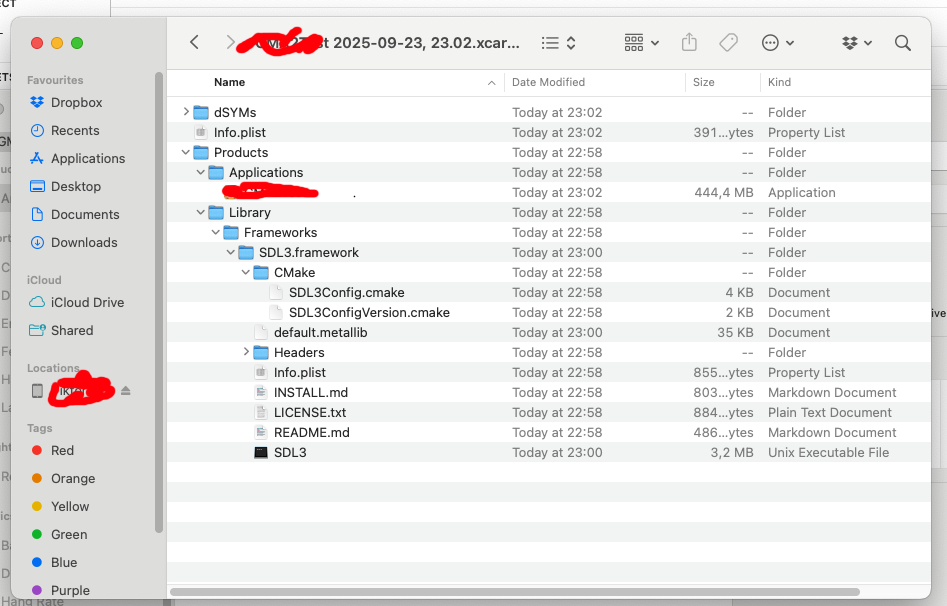
It seems the reason is that SDL3 somehow copies a unix executable into my xcarchive.
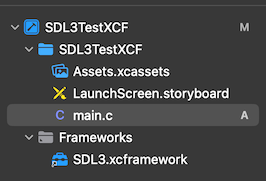
I cannot find where this copying is performed; it’s not in “copy bundle assets” so I assume it’s via a script somewhere. (See screenshot below)
Are those files necessary, and, if not, how can I remove them?
(Note that I can execute my app locally, just not distribute it on App Store Connect.)
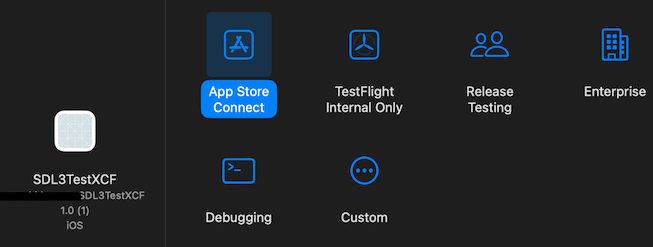
I’m not even getting an error message, when I archive the application it does not end up by my distributable archives (where the old versions with sdl2 are), rather it goes into “Other”, and when I press “distribute“ I can only distribute to “Custom”.
I can run it both on a connected iPad, and on my Mac (using the designed for iPad alternative)
Ah okay I need that binary? When I was using SDL2 nothing showed up next to “Application”, although I didn’t use an xcFramework back then.
I thought there was an error as I don’t understand why the header/cmake files are in my archive.
(As a side note, I’m not very experienced when it comes to the Apple ecosystem.)
Are you talking about where it says “Application” and you crossed it out? Because in your first post you said “unix executable” and I assumed you meant the SDL3 binary in the screenshot.
The crossing out is my game, which I assume shall be there. I only crossed it out to not share the name of the commercial game.
Yes, I meant the SDL3 Unix Executable, shall that file really be there? My assumption is that another executable file makes the xcarchive not distributable.
I assume that “Unix Executable” means executable, and is not a library.
The problem was that “build settings/skip install” was set to NO for SDL in xCode. Only I changed that, the app can be distributed to App Store Connect again.
Would suggest adding this info to the docs as this was quite a hard nut to debug, and xCode gives very little help.