How to stop stretching effect when border-drag window resizing

I am using SDL3. I have written an application based around the SDL_AppInit, SDL_AppIterate, SDL_AppEvent and SDL_AppQuit functions.

I assume this concept has a “proper name”, but I don’t know what to call it.

When I click and drag the border of my application window, it causes a stretching effect. The effect is not large, but it is noticeable.

The reason I begin this post by mentioning the above 4 functions is because using these functions solves a similar, but more severe, version of this problem.

That is to say, if one writes an SDL application using the usual C++ int main() function in combination with a while loop which polls for SDL Events using SDL_PollEvent then the following behavior is observed.

  1. Start to click-drag window border
  2. SDL event loop freezes
  3. Drag window border, app remains frozen, rendered content will be a stretched copy of the last image which was rendered to the SDL Window drawable area
  4. Stop dragging window border
  5. SDL_EVENT_WINDOW_RESIZED event is fired
  6. App window will unfreeze, events will resume processing
  7. Some event will cause window to re-draw, now the stretched frozen image is replaced by the up-to-date window contents

It’s really hard to describe this problem, but it has been discussed in other threads.

Here is one such thread

The problem I am facing is very similar to this but not exactly the same.

As recommended in the above linked thread, I am using the 4 SDL functions mentioned at the top of this post.

I still find that there is a very small stretching effect which occurs when resizing a window.

This is what I think happens:

  • When the window size is changed by 1 pixel, the contents of the window framebuffer is replaced by a stretched version of the last drawn framebuffer
  • The window resize event fires
  • Later, the window rendering function fires
  • The window is redrawn

Because there is some delay between the resize event firing and the window drawing function being called, this causes a small stretching artifact effect

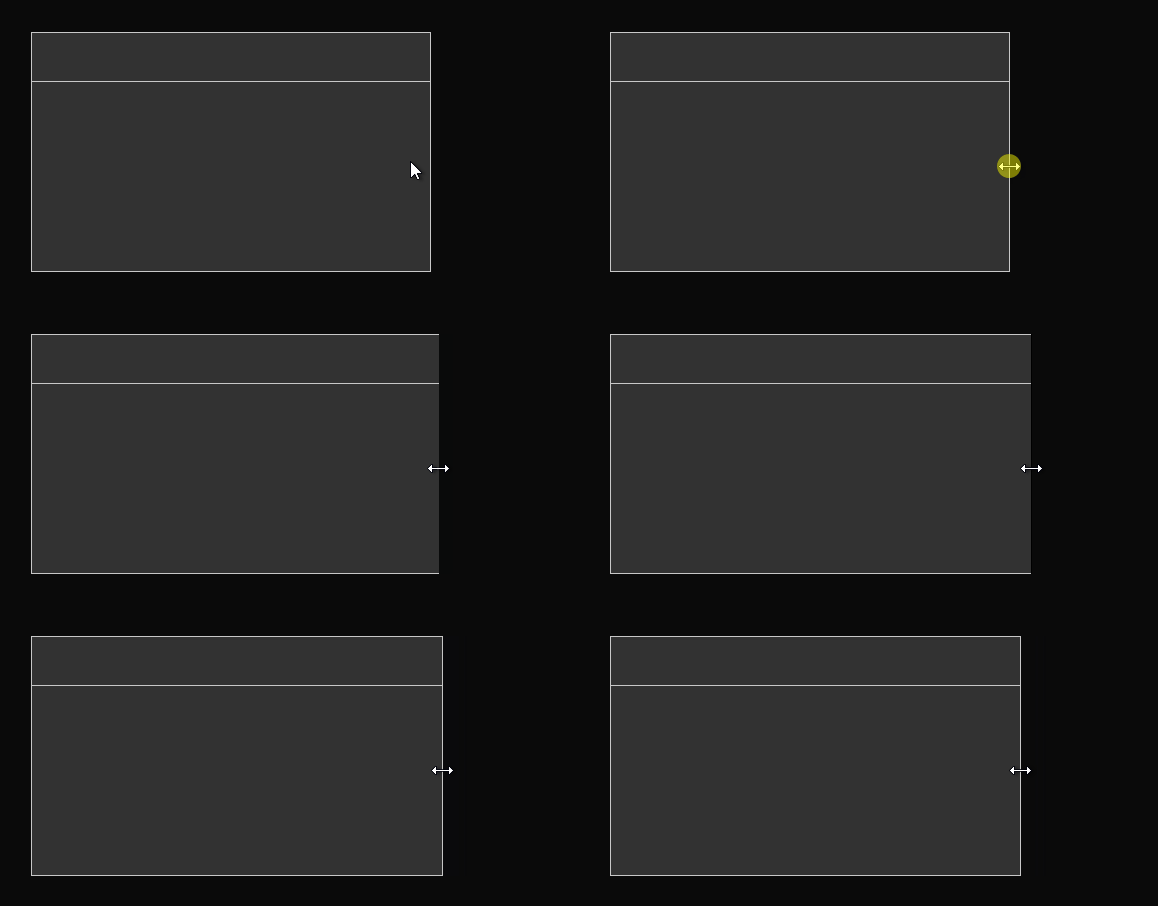
Update to this:

I was missing a call to the drawing function in my event handling function. So when the resize event fired nothing was redrawn.

It seems weird to put drawing logic in the event processing loop. Shouldn’t drawing code be isolated to one function? The iterate function? Regardless…

After adding the drawing function to the event handling function the effect is still there.

I found that putting a very fast drawing function (one which just clears the screen to black) reduces the effect.

For a 2D renderer, you don’t need to separate the rendering code as long as the rendering is done in the same thread that created the window (the SDL documentation describes this).

So yes, if you need to repaint the window’s contents while stretching the game window with the mouse, you can do so while processing events and it will be safe. Typically, to even receive and process window resize events during a modal loop, you register your own callback using the SDL_AddEventWatch function, where you catch the window resize event, then update the game data (if needed) and repaint the window’s contents.

I think this is what the SDL_EVENT_WINDOW_EXPOSED event is for.

https://wiki.libsdl.org/SDL3/SDL_EventType
SDL_EVENT_WINDOW_EXPOSED, /**< Window has been exposed and should be redrawn, …

I tried this suggestion but it doesn’t appear to improve the flickering issue.

To clarify, should the drawing code run for both events?

SDL_EVENT_WINDOW_RESIZED and SDL_EVENT_WINDOW_EXPOSED?

Currently, I redraw when either of these occur. Both block of code are inside SDL_AppEvent. The function for SDL_AppEvent is a big if statement which checks which type of event value is inside the second argument SDL_Event* p_event.

I’m not sure in the case of using the SDL_App* callbacks, because I’m not using them. Instead, I implemented my own main game loop and in my case, to be able to redraw the window during stretching, it must be done when those two events are detected:

  • SDL_EVENT_WINDOW_RESIZED
  • SDL_EVENT_WINDOW_PIXEL_SIZE_CHANGED

Only those are related to the window size changes. In my case, i.e. on Windows platform and using SDL 2D renderer (accelerated), there is no need to handle the SDL_EVENT_WINDOW_EXPOSED at all.

Yes, that is typical SDL behavior. Your main loop essentially pauses during window drag, so the OS simply stretches the final frame if you’re not redrawing within the resize events.

When `SDL_EVENT_WINDOW_RESIZED` or `SDL_EVENT_WINDOW_PIXEL_SIZE_CHANGED` occurs, you must render directly.

In most cases, `SDL_EVENT_WINDOW_EXPOSED` is not very helpful. The only practical way to prevent the stretching is to make the redraw quick and light.

To ensure the fastest possible redraw, for this reason I temporarily disable VSync while the window is being resized. The window repainting itself during the modal loop is simplified (based on the last game frame, rendered on the back buffer texture) to be as quick as possible. It works perfectly.

However, temporary deactivation of VSync is performed in a message hook callback (because there’s no other way), when handling the WM_ENTERSIZEMOVE and WM_EXITSIZEMOVE messages, which informs the application when the modal window resizing loop begins and ends.

Isn’t this what the newer SDL main callback functions are supposed to solve? See https://wiki.libsdl.org/SDL3/README-main-functions

To clarify, I have solved the problem of the main window pausing while click-dragging to resize. That part is now working. However, there is still a bit of stretching/flickering when resizing. It looks like it is at the single pixel level.

I guess with most games you might not notice this effect. However, I am trying to build a text editor on top of SDL.

Possibly what I need to do is disable vsync for that first draw after resize, but this feels very hacky.

If you think about what a resize does, the window size will jump from one geometry to another geometry, and this might happen in such a way that the OS redraws the window before the application has chance to redraw the window internals. Although, this surprises me. I don’t know the deep technical details of how SDL works internally, but I would have thought that if the window is resized, then it should fire a callback to repaint the window, and not draw anything new until that has been done.

However, it appears there is some kind of asynchronous effect at play here.

It seems to be that the drawing of a resized window can happen asynchronously to redrawing of the window internal content.

So, the OS/SDL needs to do something to fill the window internals with some temporary content.

I guess someone, somewhere, chose to use a stretched version of the windows previous content for that new temporary content, until the window internals are redrawn.

Here’s a couple of ideas:

  • Can something be done to require the window to be redrawn on resize, in a synchronous way? (The best solution.)
  • Would it be possible to change the algorithm used for temporary window content drawing. Alternatives might be: Fill new space using adjacent pixel color. Fill new space using black, or some other default color. Difficult to think of anything else sensible. Stretching is a sensible choice for games, I guess.

Any thoughts on any of this? Maybe I should raise a bug report with SDL via github.

No. The purpose of them is:

  • the user does not need to use the main function,
  • the user does not have to implement the main game loop himself,
  • the solution is cross-platform.

Really? That’s not what this post says.

The solution to bypass the temporarily frozen event processing during the modal loop is not the main callbacks, but an event watcher or a hook for Windows messages.

I couldn’t find any information in the SDL documentation stating that the main callbacks are normally executed during a modal loop, which would eliminate the need to use an event watcher. If you know where to find official information that can confirm your words, please provide a link.

1 Like

So this behavior is undocumented? Regardless, it seems that this fix isn’t really working.

I think I need to clarify the situation, because the problem is sort of fixed but not completely.

Before the new SDL main functions, iirc it was indeed the case that the window was totally frozen while resizing.

This means the window was frozen

  • from the time when the user begins the drag action to resize a window
  • to the time when they released the left mouse button, at which point the window will unfreeze

I saw this behavior when using a single int main function with the typical event polling loop.

Because the window was frozen, resizing caused the painted contents inside the window to stretch. If you resized the window from 200x200 to 400x200, the window contents would stretch by a factor of 2 horizontally.

When I changed to the new SDL main functions (lack of a better terminology for these things), such as SDL_AppIterate (etc), the window will redraw and process events even when resizing.

But the stretching issue is not completely resolved. Now, when the window is resized, the following happens:

  • For the sake of example, let’s assume we resize from 200x200 to 200x400.
  • This action proceeds smoothly, meaning the window changes size to 200x201, then 200x202, etc.
  • Each “step” in this resizing action, the internal window contents are stretched before they are repainted. The effect is subtle but noticeable. It causes both a stretching and flickering effect.

Perhaps this helps to clarify things further.

Ok guys, I did extensive tests and I can confirm that there is actually a problem with resizing the window and repainting it during resizing. My tests concern a simple application with a manually implemented main loop (without using SDL main callbacks). The problem with repainting the window affects drivers such as direct3d12, vulkan, and gpu, but does not occur when using drivers such as direct3d11 or opengl (all of them are supported on my PC).

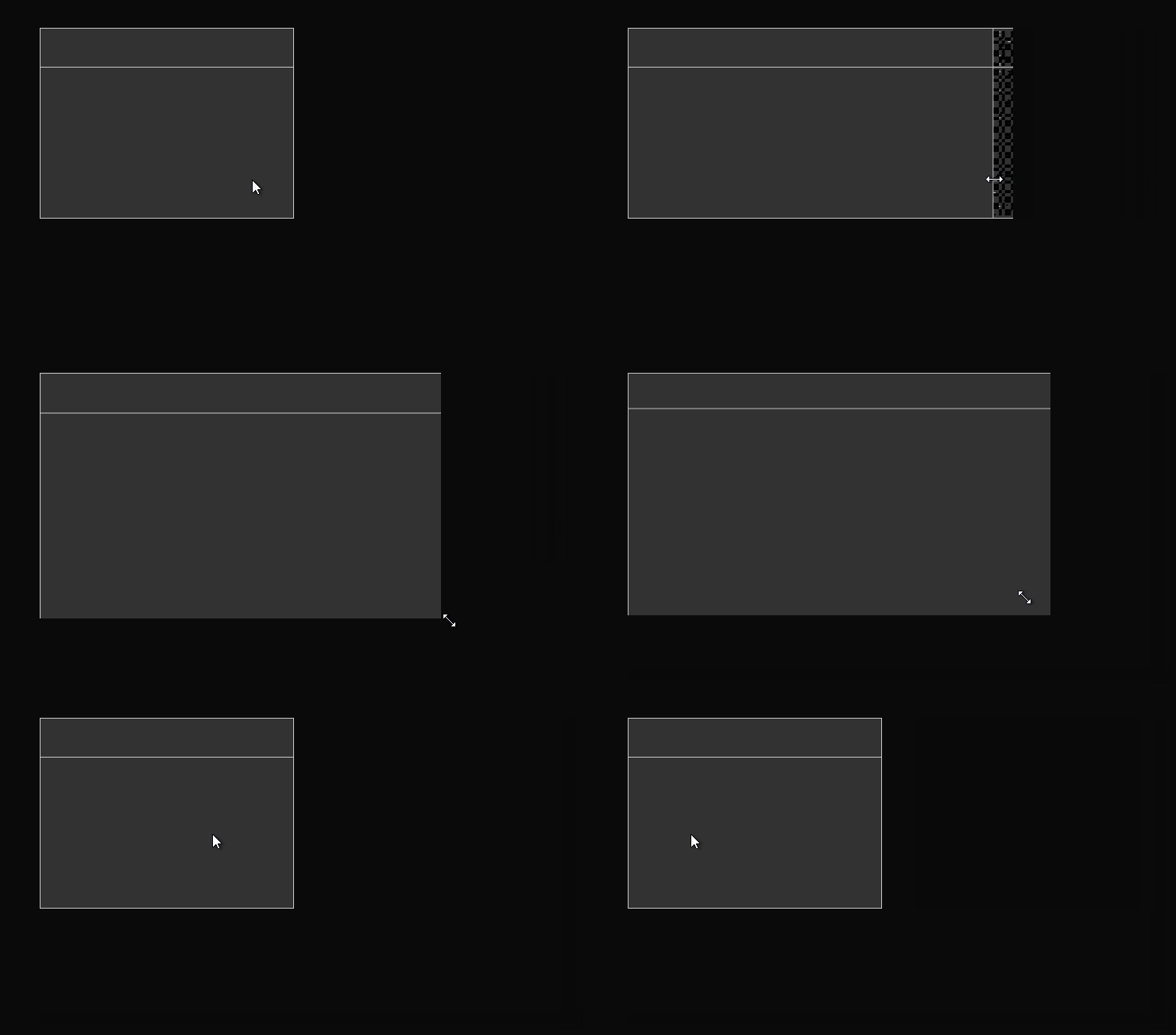
The problem is that in the case of the above-mentioned problematic drivers, when stretching the window with the mouse and repainting its contents from the event watcher, SDL still uses the incorrect window area, which causes the freshly rendered window contents to be either cropped or too small. Check out the following recording of the test program:

shrink

When stretching the window, as its width increases, you can see a black, narrow strip on the right edge of the window, which means that SDL uses a smaller buffer than the sizes provided in the window resized event structure.

However, if the window size is reduced, for some reason SDL uses a buffer smaller than the window, which causes the sizes provided in the window resized event structure to be smaller than the actual window sizes after a sudden narrowing of the window. This causes the newly rendered frame to be smaller than the window, and the remaining space is black — and remains so as long as I hold down the LMB and the cursor movement does not cause the window to be resized. Only when I release the LMB will the window be redrawn correctly (i.e., SDL sent the window resized event with the correct window sizes).

The demo I recorded always uses the window sizes that SDL provides in window resized events. However, the same glitches occur even if I retrieve the current window size using the SDL_GetWindowSize function for frame rendering purposes.

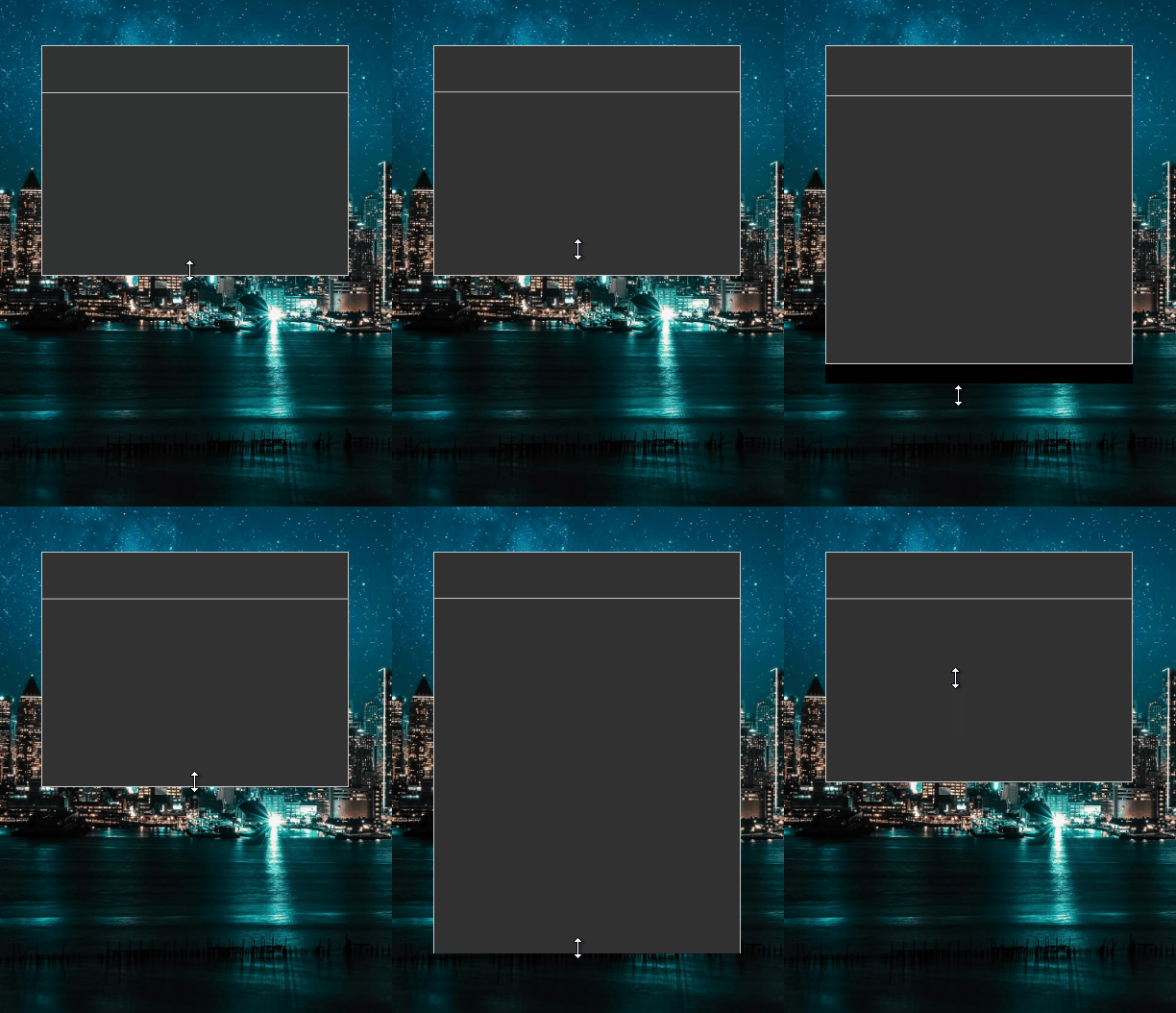
What’s more, the problem occurs even when slowly stretching the window with the mouse. Below is a second recording, this time on a dark background so that the right white edge of the rendered window border is visible — when the window is being resized, it is sometimes invisible. All because the size of the buffer used to render the frame is larger than the physical window, causing the right edge to be clipped.

slow

Only when I release the LPM does the window repaint correctly. The above recorded problems occur when using the direct3d12 driver directly (specifying this name when creating a renderer), as well as when I use a gpu driver that automatically selects direct3d12 for internal use.

When I use the gpu driver but force the use of the vulkan backend (via SDL_HINT_GPU_DRIVER hint), exactly the same glitches occur, except that resizing the window is much more sluggish (it seems to be much slower), and instead of empty black spaces, garbage is rendered in the window in these areas:

vulkan

Unfortunately, I cannot check other drivers supported internally by the gpu driver, because only direct3d12 and vulkan are supported on my system (these are returned by the SDL_GetGPUDriver function).

Ok, I found a solution to the problem I described in my previous post. In order for the window content rendered in the event watcher to match the physical window size when stretching the window, call SDL_RenderPresent before rendering the frame, not after. I don’t know why this is happening, don’t ask me because I have no clue (if you know why, please share your knowledge). It works for both direct3d12 and vulkan drivers, both when used explicitly and when selected by the gpu driver.

However, there is still a problem with strange stretching and shrinking of the swapchain texture when stretching the window. This can be seen in the video below — the rectangle at the top of the window, which illustrates its title bar area (draggable), should always be fixed (50px tall), but its bottom edge shakes when the window height changes:

shaking

But I think that changing the order of instructions and calling SDL_RenderPresent before actually rendering the new window content is a nonsense.

Which platform (is it Windows 11?) did you run your tests on? I am using Windows 11, Nvidia 50xx series GPU, AMD CPU (9950x3d).

This is from my application log:

[2026-01-04 09:46:41.778] [info] [application_resources.cpp:42] Available video drivers: windows, offscreen, dummy
[2026-01-04 09:46:41.778] [info] [application_resources.cpp:63] Available render drivers: direct3d11, direct3d12, direct3d, opengl, opengles2, gpu, software
[2026-01-04 09:46:41.818] [info] [application_resources.cpp:220] SDL create renderer
[2026-01-04 09:46:42.063] [info] [application_resources.cpp:75] SDL renderer name: gpu

The renderer object is created using this line of code.

SDL_Renderer *renderer = SDL_CreateRenderer(window, "gpu,opengl");

It’s possible that’s what’s happening for me. Let me change the background color and test.

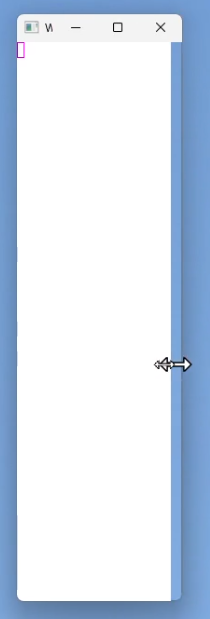
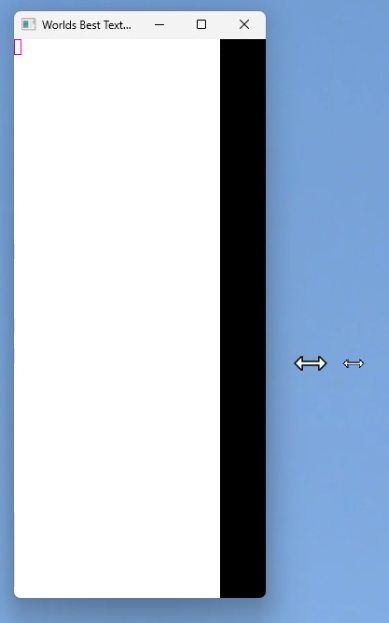
Update: I changed the background color of the window to white. I managed to reproduce similar behavior. When click dragging the window edge to resize horizontally, I see that both when increasing and decreasing the window size, there is a region of black created.

The effect is still there if I change the renderer to opengl:

SDL_Renderer *renderer = SDL_CreateRenderer(window, "opengl");

Yes, this seems like a weird hack which manages to glitch a way out of the problems. Do you have any idea what the “real” fix might be. This is all well beyond my knowledge. I’m not at all a graphics expert.

Here’s some screenshots from a mp4 recording I managed to capture. I used OBS to record the video, then VLC to step, through the frames.

All of this was captured with the renderer using “opengl”.

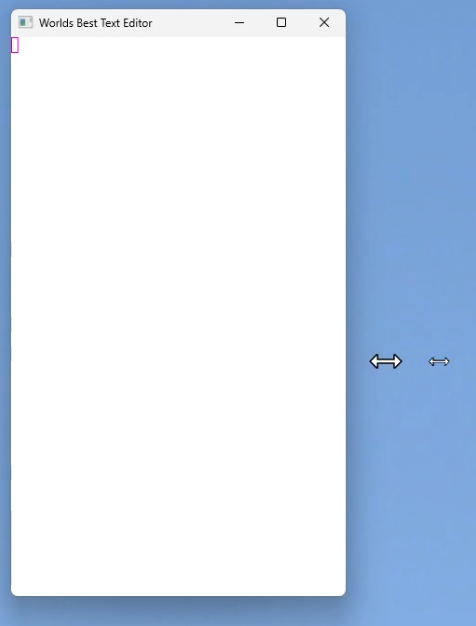
Firstly, reducing window size horizontally.

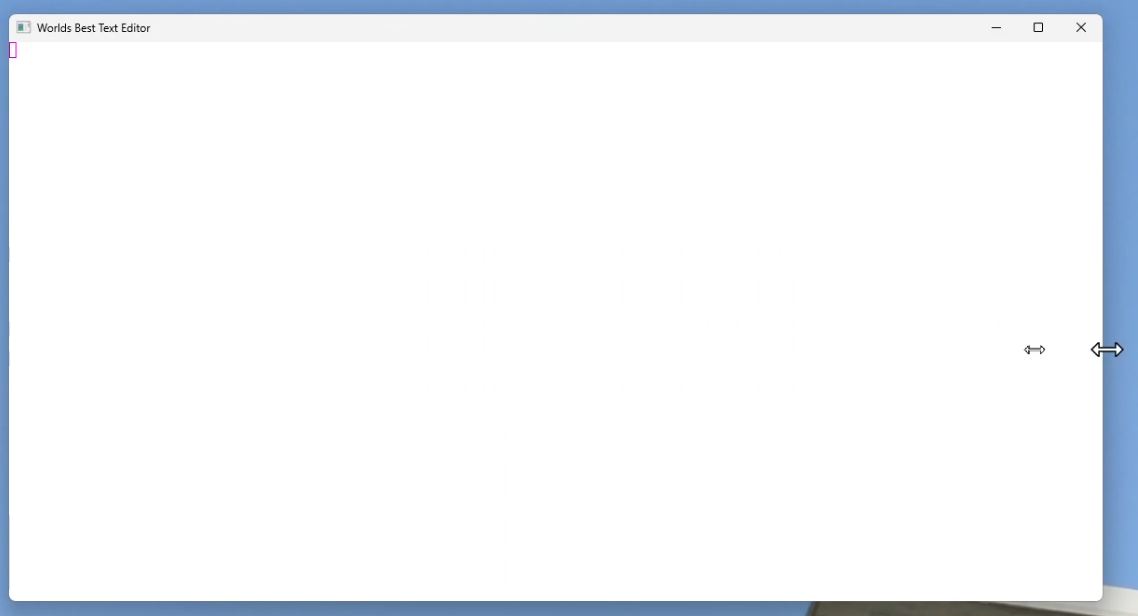
And increasing size.

Sometimes you get this double mouse cursor, but with no black edge.

You can get the double cursor when reducing size too.

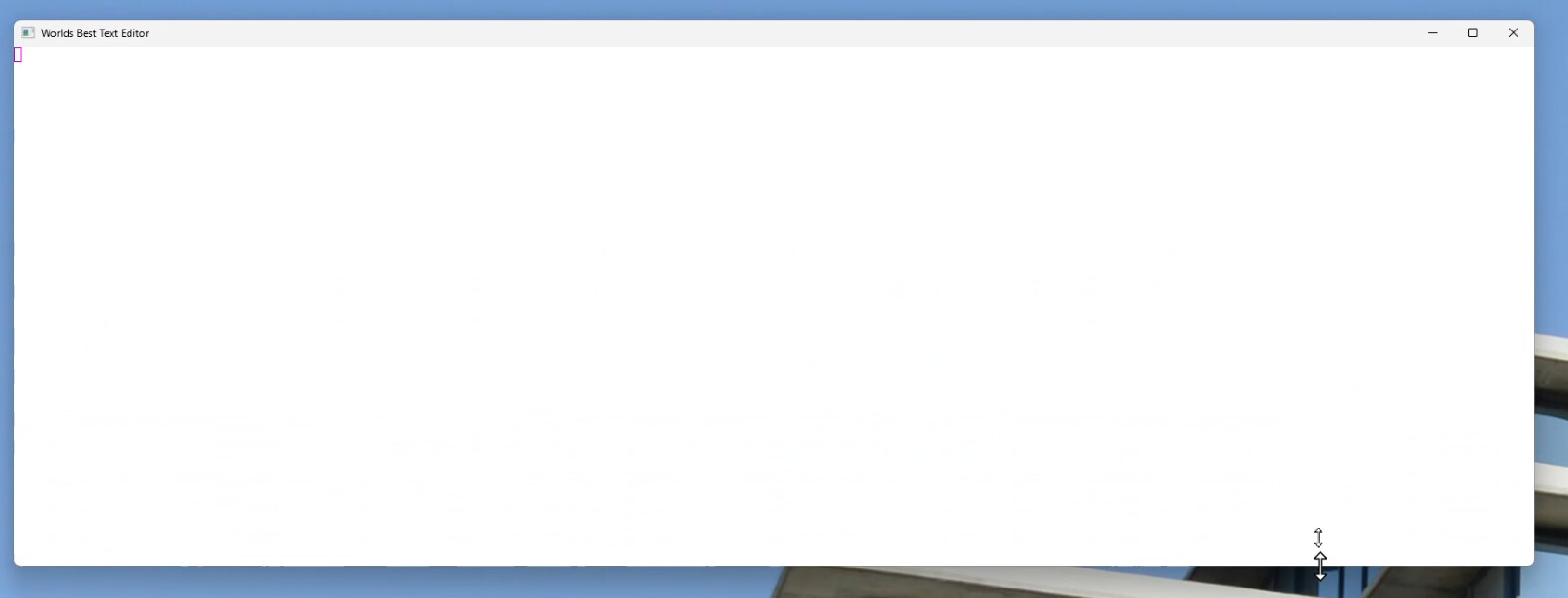
Similar things happen with vertical resize. Double cursor.

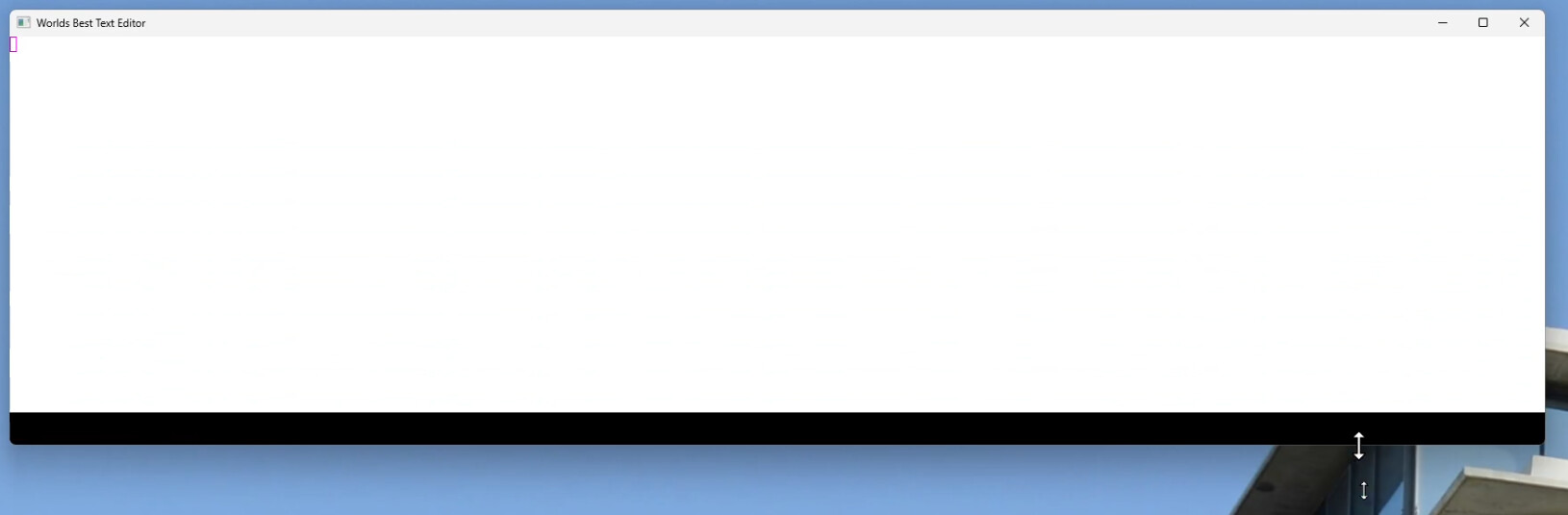
Sometimes, the black edge will appear in the same way as for horizontal resize.